[Skip to content]

How do I export my settings from within an Eclipse based IDE?

Jalopy stores settings as binary files inside its settings directory. The files are not directly editable, instead a GUI tool is provided for configuration that lets you import/export code conventions to share your settings in a textual format.

In order to export your settings, follow the steps as described below:

  1. Open the preferences dialog. On Mac OS X you use Eclipse->Preferences... On other platforms the dialog is available through Window->Preferences...

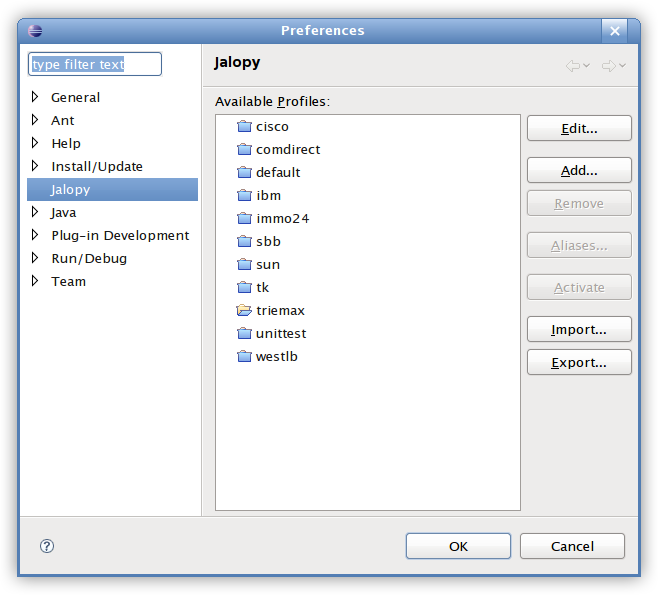
    Select the Jalopy item on the left pane. In order to quickly locate the item, you might want to type "Jalopy" in the filter field at the top.

    Figure 1. Jalopy settings page

    Jalopy settings page

  2. Press the Export... button to open the export dialog

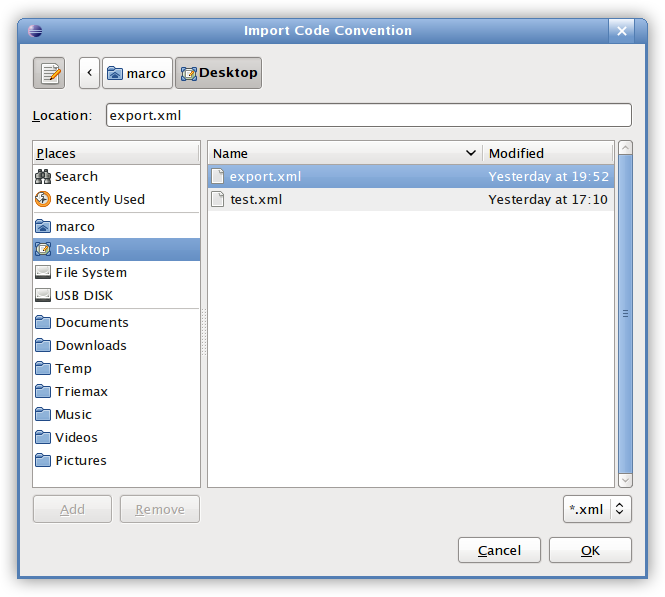
    Figure 2. Export dialog

    Export dialog

  3. Specify the file where your settings should be written. Or type one directly into the text field

  4. Finally press the OK button to flush the settings to disk
What is Jalopy?

Jalopy is a world-class source code formatter for Java. It automates and enforces all aspects of source code layout—to meet a certain coding style without putting any burden on individual developers.

Learn more

Who needs it?

Jalopy is for everyone involved with source code editing. It scales from single developer usage to large scale enterprise deployment and seamlessly integrates with your favorite Java IDE or build tool.

Go and see yourself

I want some!

Concentrate on your problem domain and don’t waste time shuffling characters around. Pricing starts at USD $40 for a single-user license. Buy now using secure online purchase or wire transfer.

What are you waiting for?

Learn the details

Deploy, configure and use the software to best meet your needs. Download the printable user’s guide and learn everything there is to know to put Jalopy’s capabilities to full use.

Download (.pdf - 6.3MB)